AI Processing
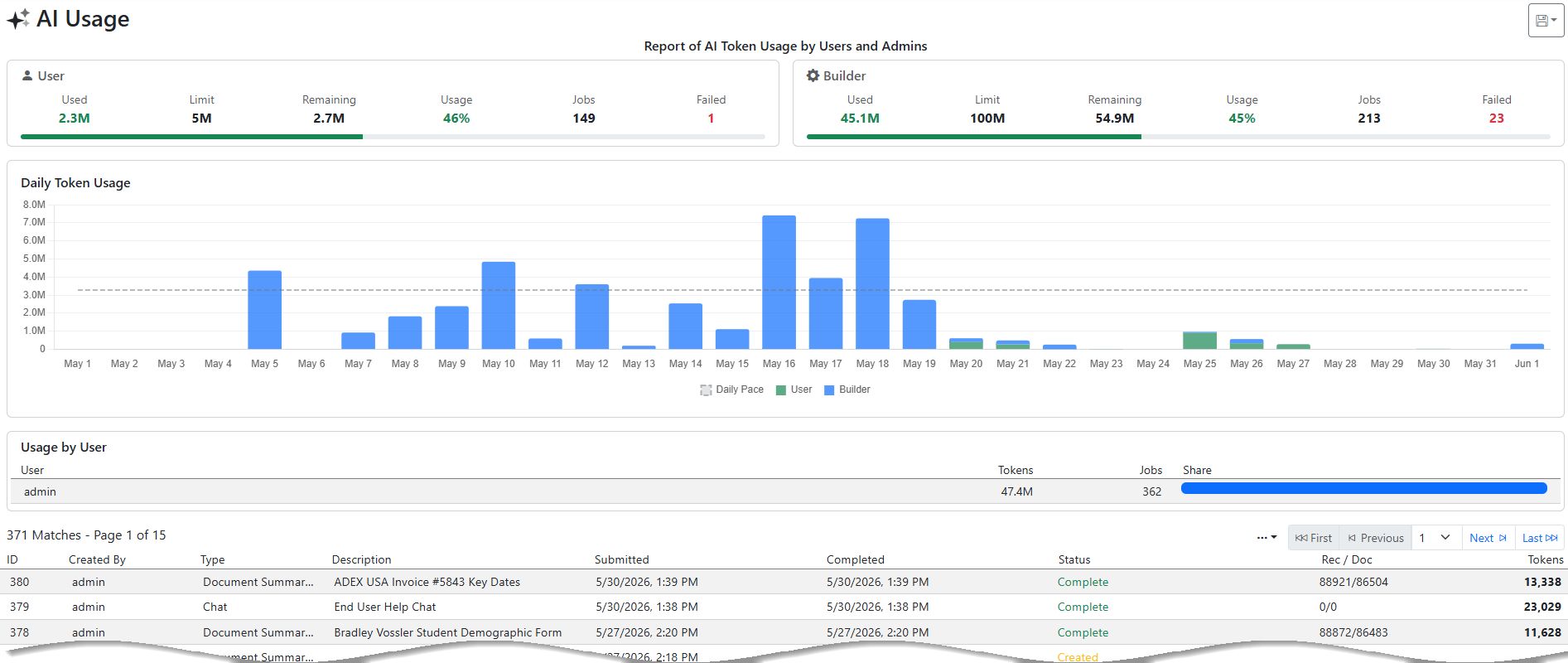
AI Processing shows the AI processing that has been done by Users - Normal and Admin. The report shows a top section that shows how many tokens have been used by day. The middle section shows how many tokens have been used by User. The bottom results grid shows all the AI transactions based on the search criteria.
The by-day section counts days in UTC, and the results grid shows a Completed (UTC) column beside your local time. UTC is what billing uses, so the report always matches the invoice — an item finished late in the evening US time may fall on the next UTC day, and the two columns side by side show exactly why.
The green button on the top right is a notification that shows the current status of the AI system. Green means all is working. Orange means there are some slowdowns or issues. Red means the service is down or severely limited.
Example Output