AI Workflow
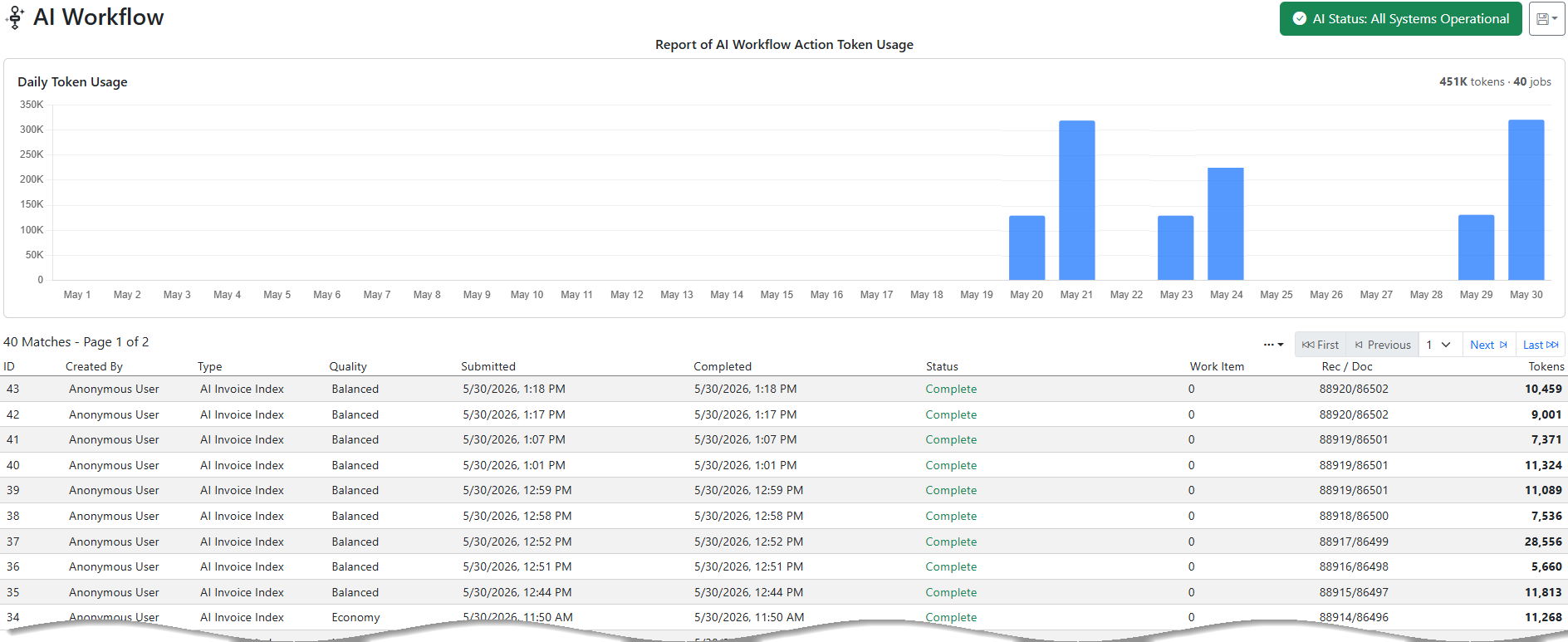
AI Workflow shows the AI processing that has been done by workflow actions. The report shows a top section that shows how many tokens have been used by day. The bottom results grid shows all the AI transactions based on the search criteria.
The by-day section and the month-to-date gauge count in UTC, and the results grid shows a Completed (UTC) column beside your local time. UTC is what billing and the Workflow AI Limit use, so the gauge, the report and the invoice always agree.
The green button on the top right is a notification that shows the current status of the AI system. Green means all is working. Orange means there are some slowdowns or issues. Red means the service is down or severely limited.
Example Output